Purchasing for home-school and independent-study programs

Every education dollar, from request to reconciled.

Run every student purchase in one place: families request, teachers approve, processors buy and reconcile, and vendors invoice.

  • Role-based access
  • Full audit trail on every request
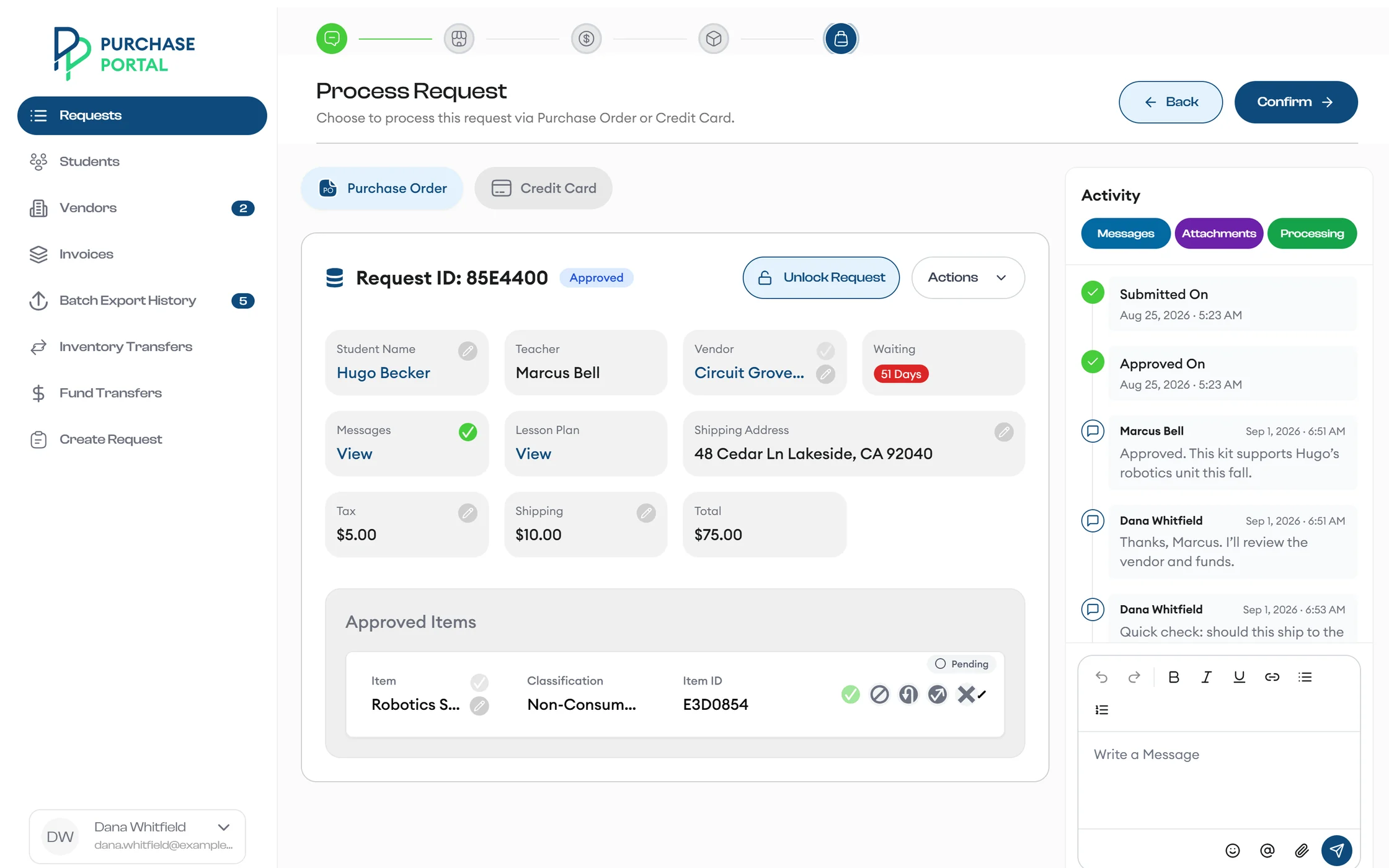
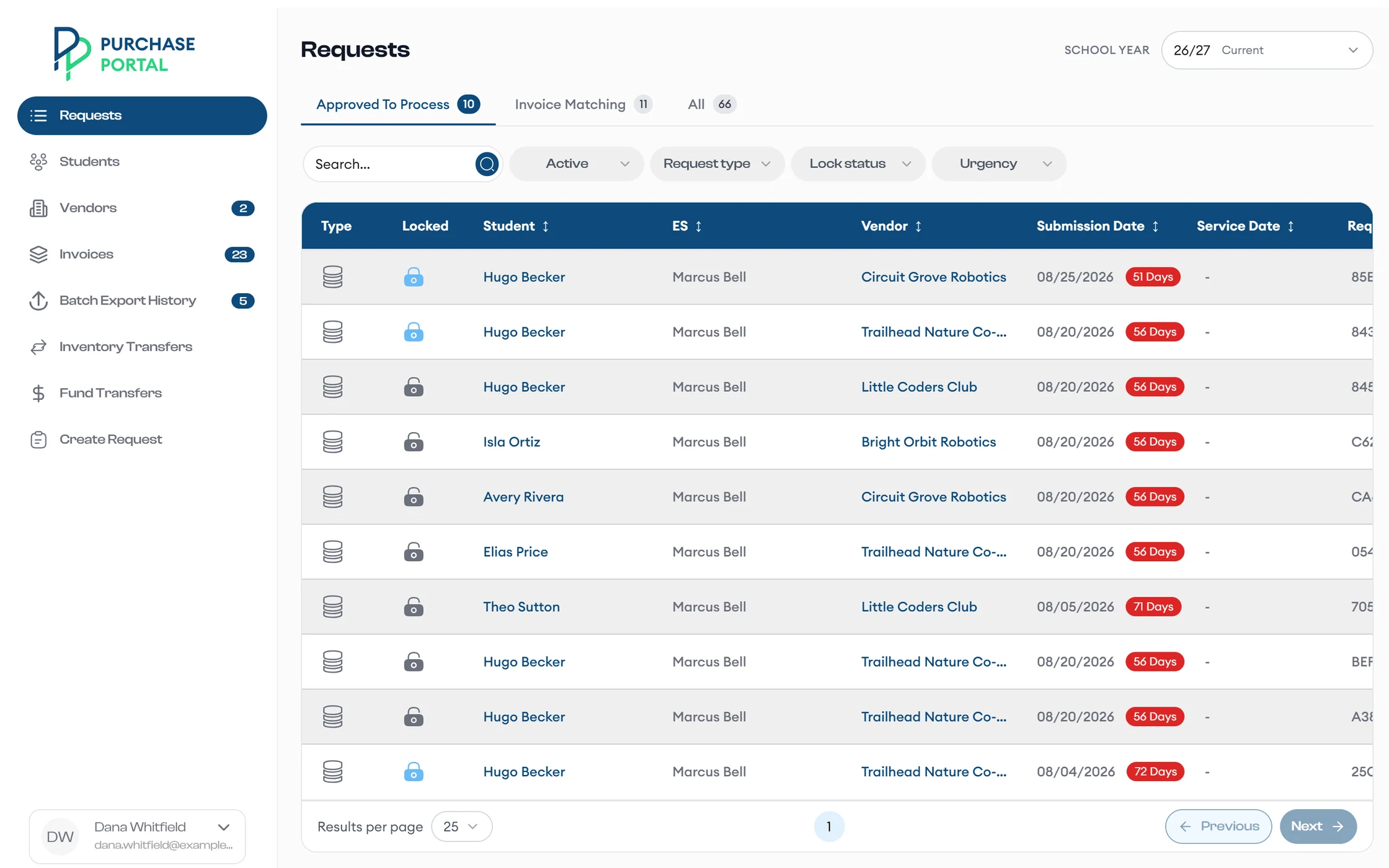
A processor works through the guided checklist and chooses to pay for an approved request by purchase order.
Processorsguided processing
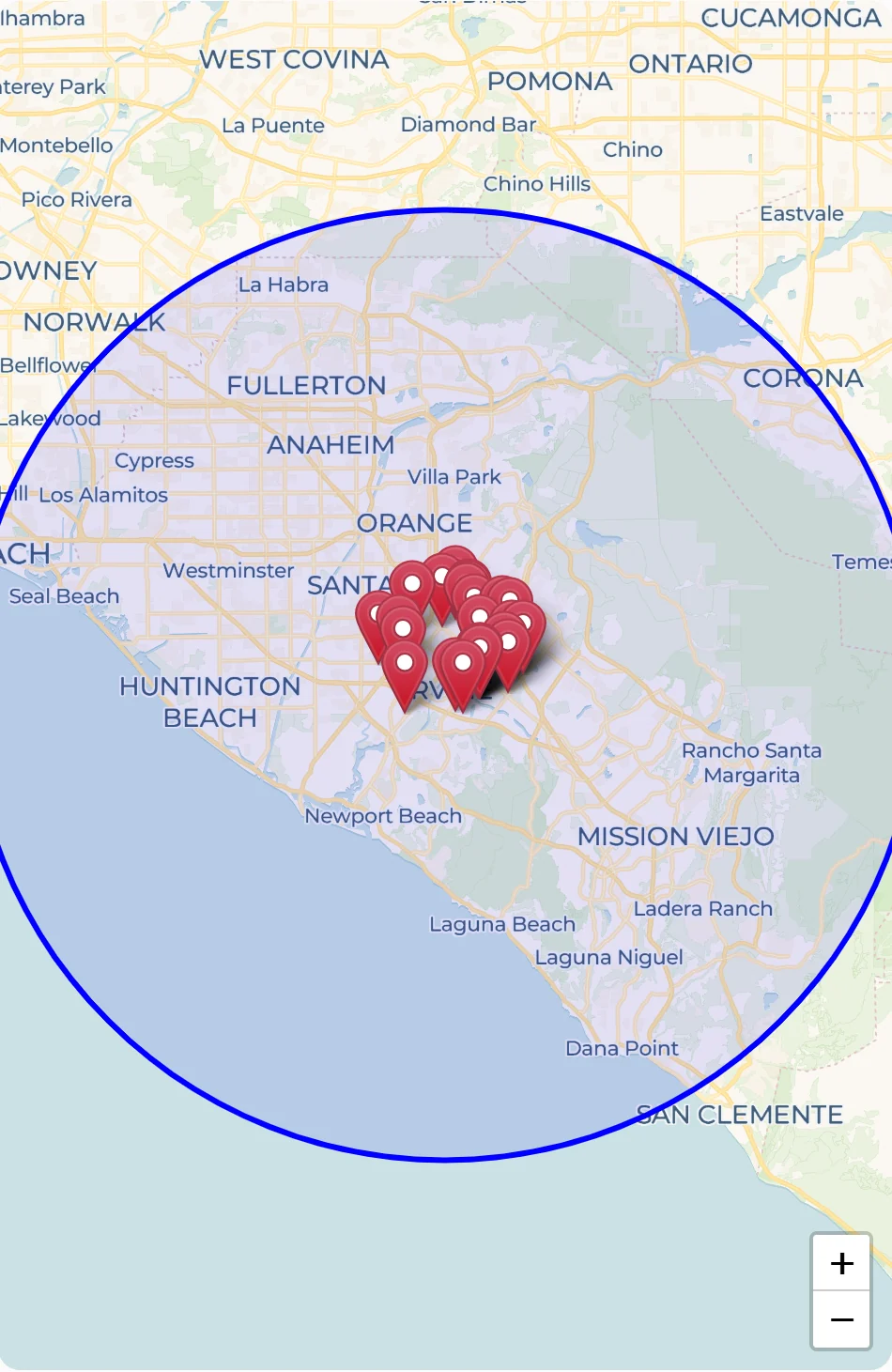
Approved vendors appear as pins inside a 20-mile search radius on a map.
Vendorsfound nearby
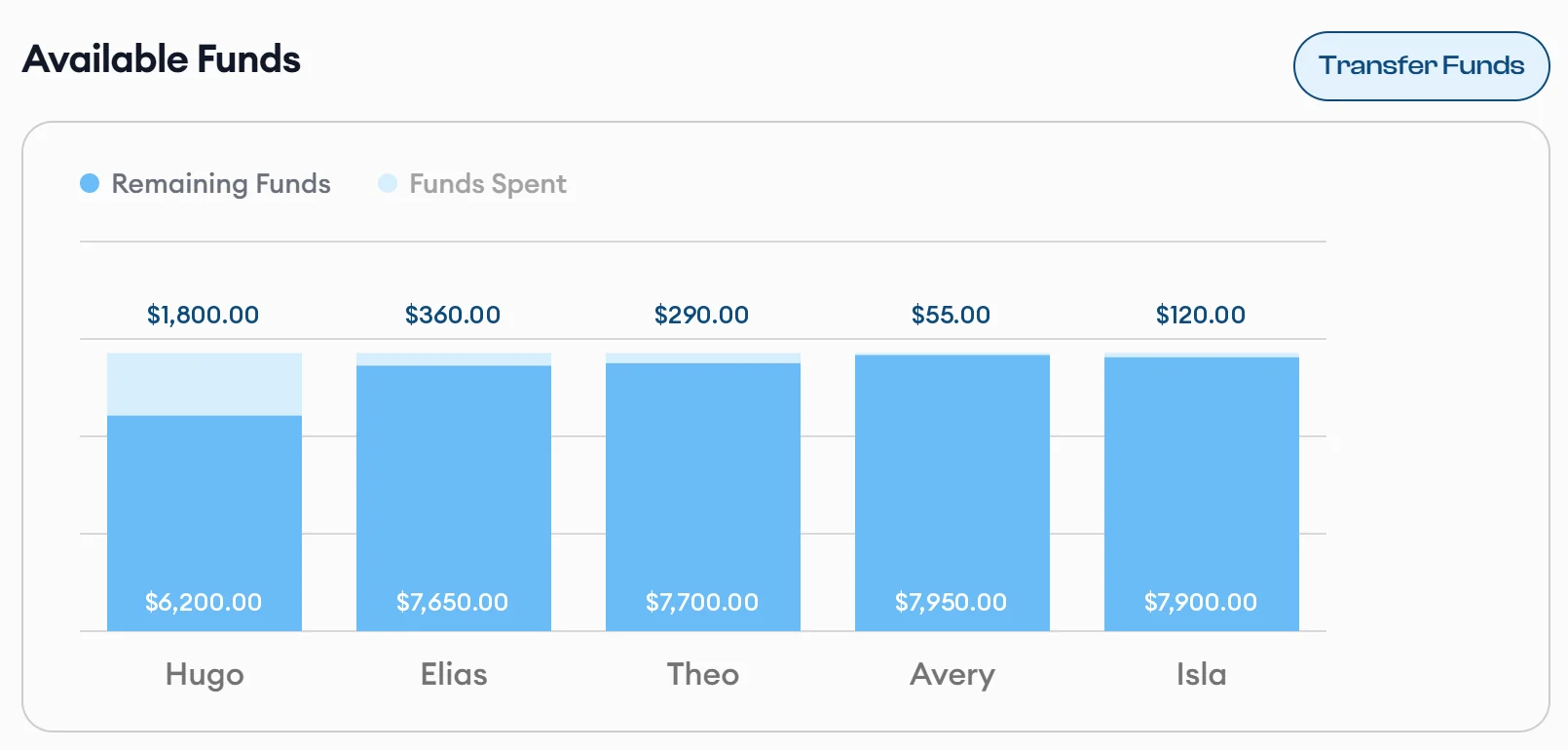
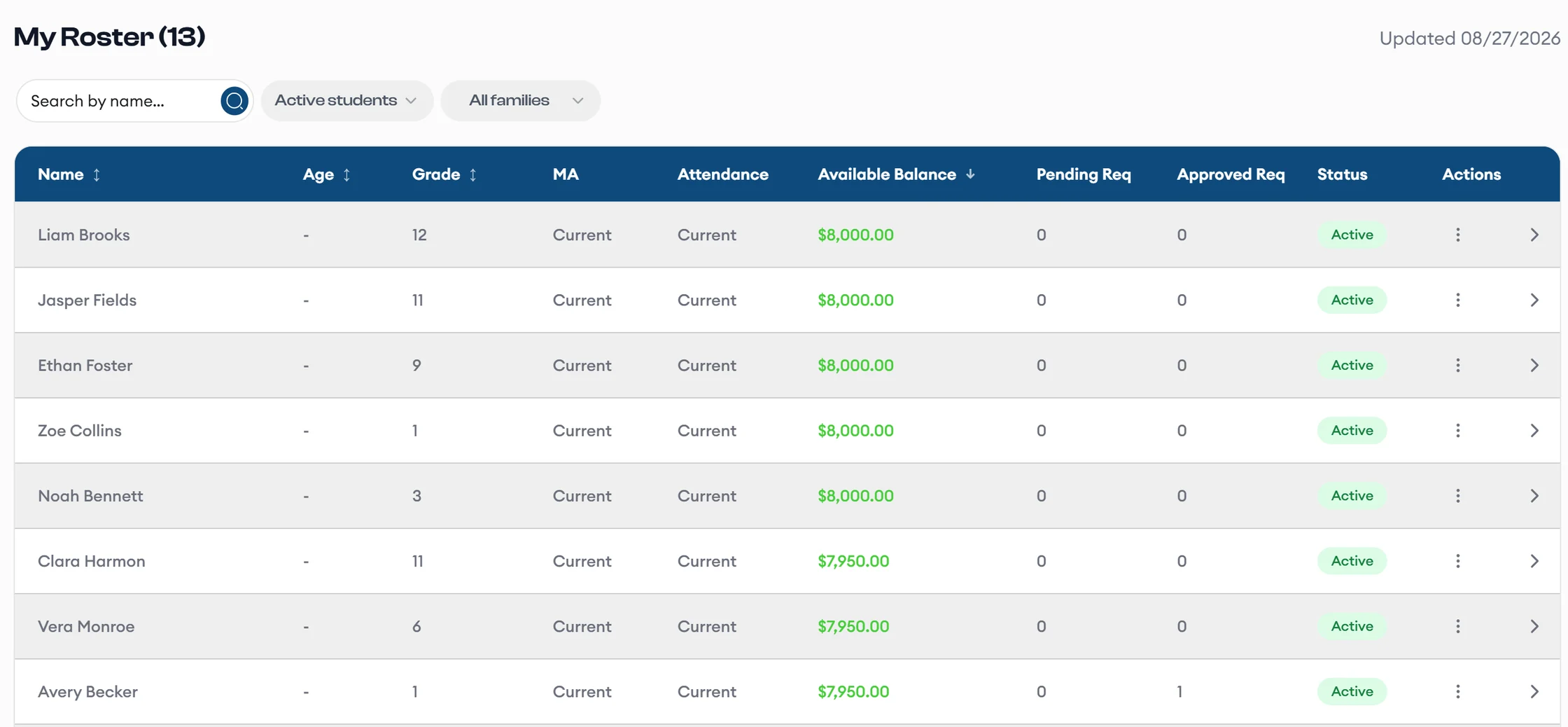
A parent's Available Funds chart shows remaining funds and funds spent for each student.
Parentsfunds at a glance
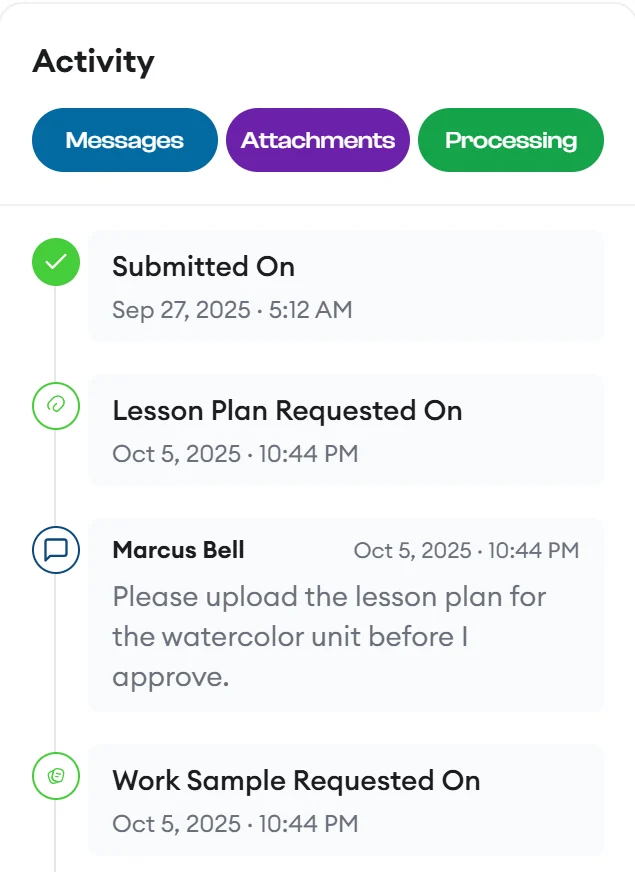
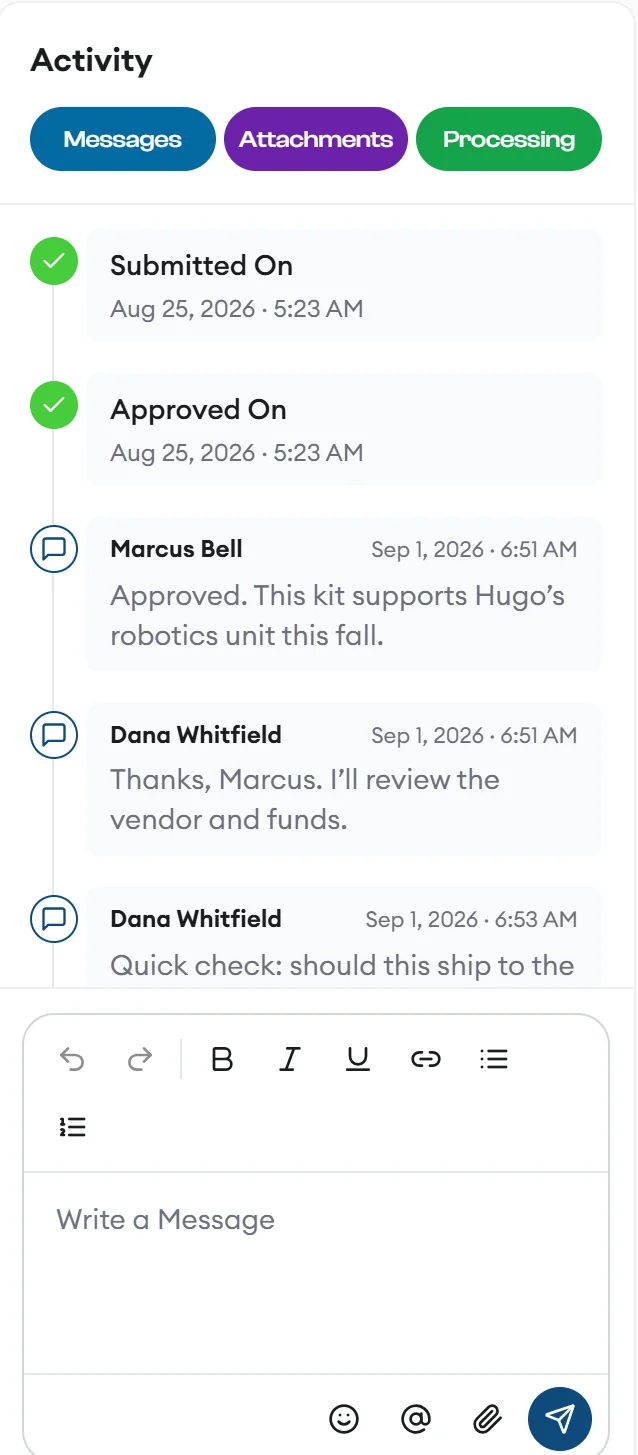
A teacher's lesson plan and work sample requests appear in the request's activity timeline, each with a message.
Teachersapprove and message

Four workspaces, one request

Everyone sees what they need, and nothing they don't

Parents, teachers, processors, and vendors each get a workspace with its own navigation, all working from the same request.

The request lifecycle

Know exactly where every request stands

Every request moves through the same six stages. Each change sends an email and SMS update and lands in the audit trail.

  1. Draft A parent starts a request and can save it to finish later. Parent
  2. Pending The parent submits it, and the student's teacher reviews it. Parent
  3. Approved The teacher approves it, and it lands in the processing queue. Teacher
  4. Processed A processor buys it by purchase order or credit card. Processor
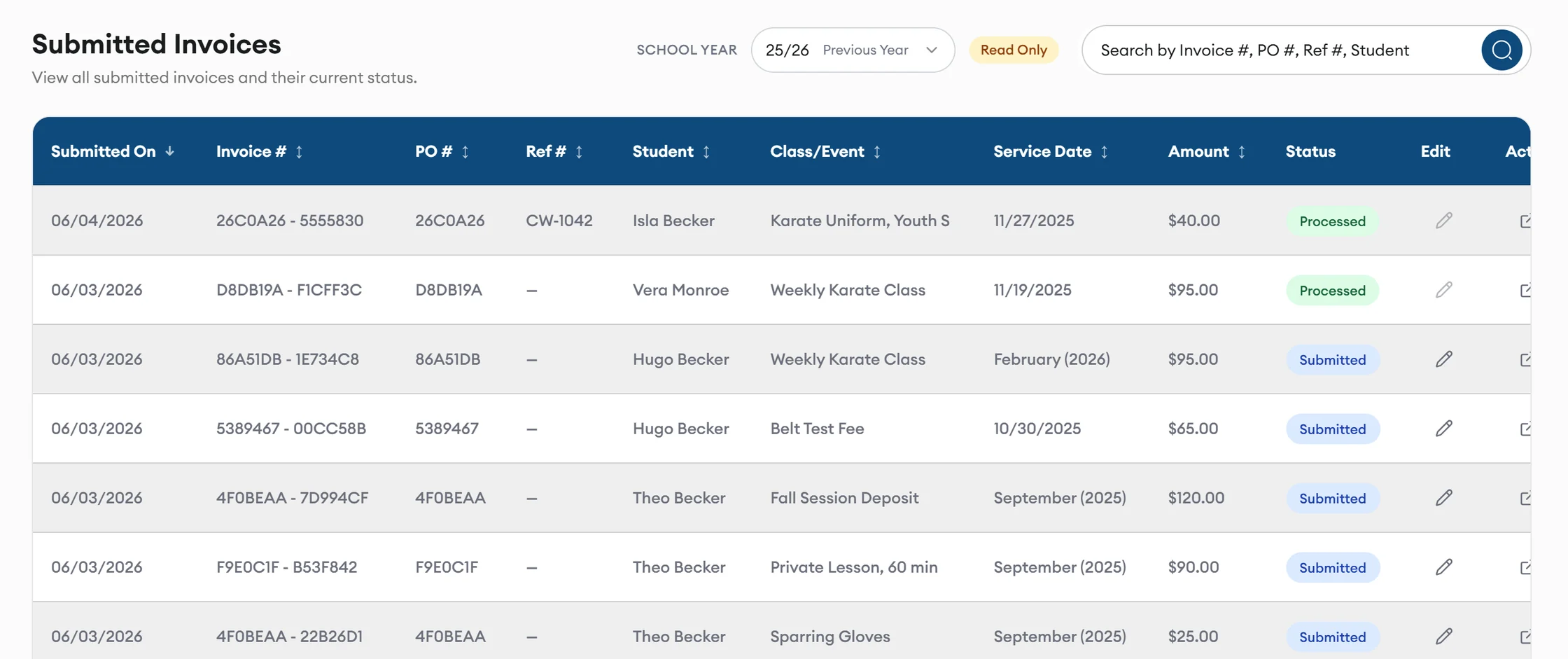
  5. Invoice Matching The vendor's invoice arrives, and AI proposes a match for each item. Vendor
  6. Completed The matched request is ready to batch and export to accounting. Processor

Requests can also end as Declined or Cancelled. Follow a request across all four roles

Highlights

Spend less time typing and reconciling

AI invoice matching

Review matches instead of keying invoices

AI reads each invoice PDF and proposes a match for every request item, with a confidence score, a reason, and discrepancy flags. You accept or dismiss each one.
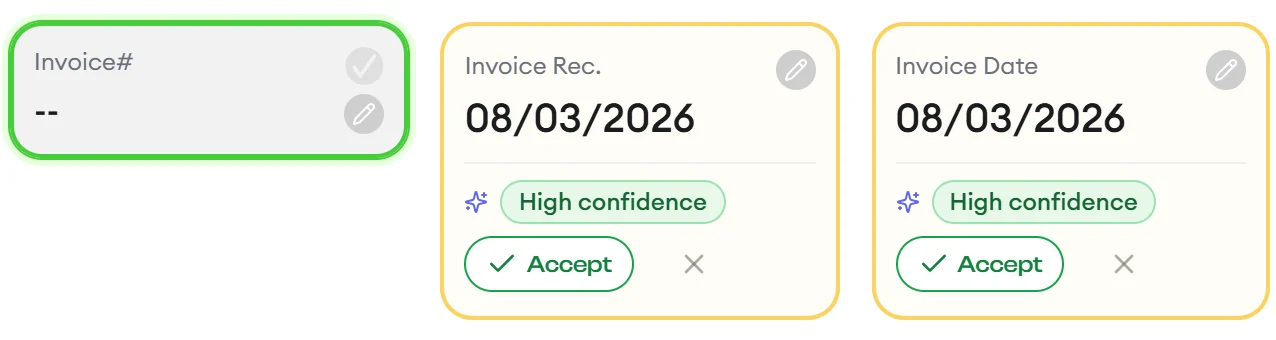
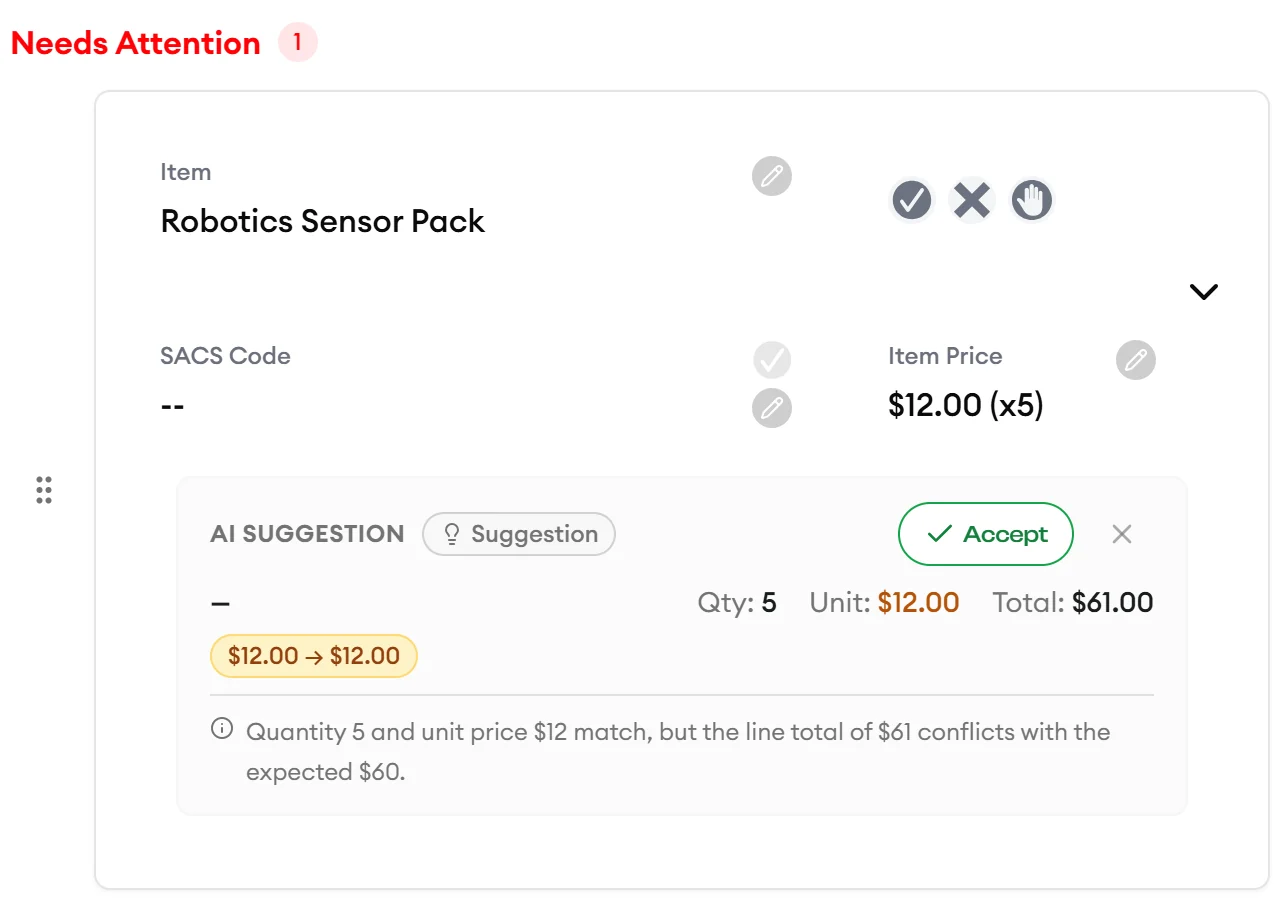
AI marks the invoice dates with high confidence, each with an Accept button. An AI suggestion for an invoice line flags a line total that differs from the order and explains why.

Paste a link, skip the typing

With Add URL, smart product fill pulls the item name, description, price, ISBN, and a suggested category from a product link.

Conversations stay with the request

Real-time messaging gives every request its own thread, with unread counts and typing indicators.

Messages between a teacher and a processor inside a request.

Hand accounting a clean batch

With one-click batch export, you group completed requests, approve the batch, and export an Excel file for accounting.

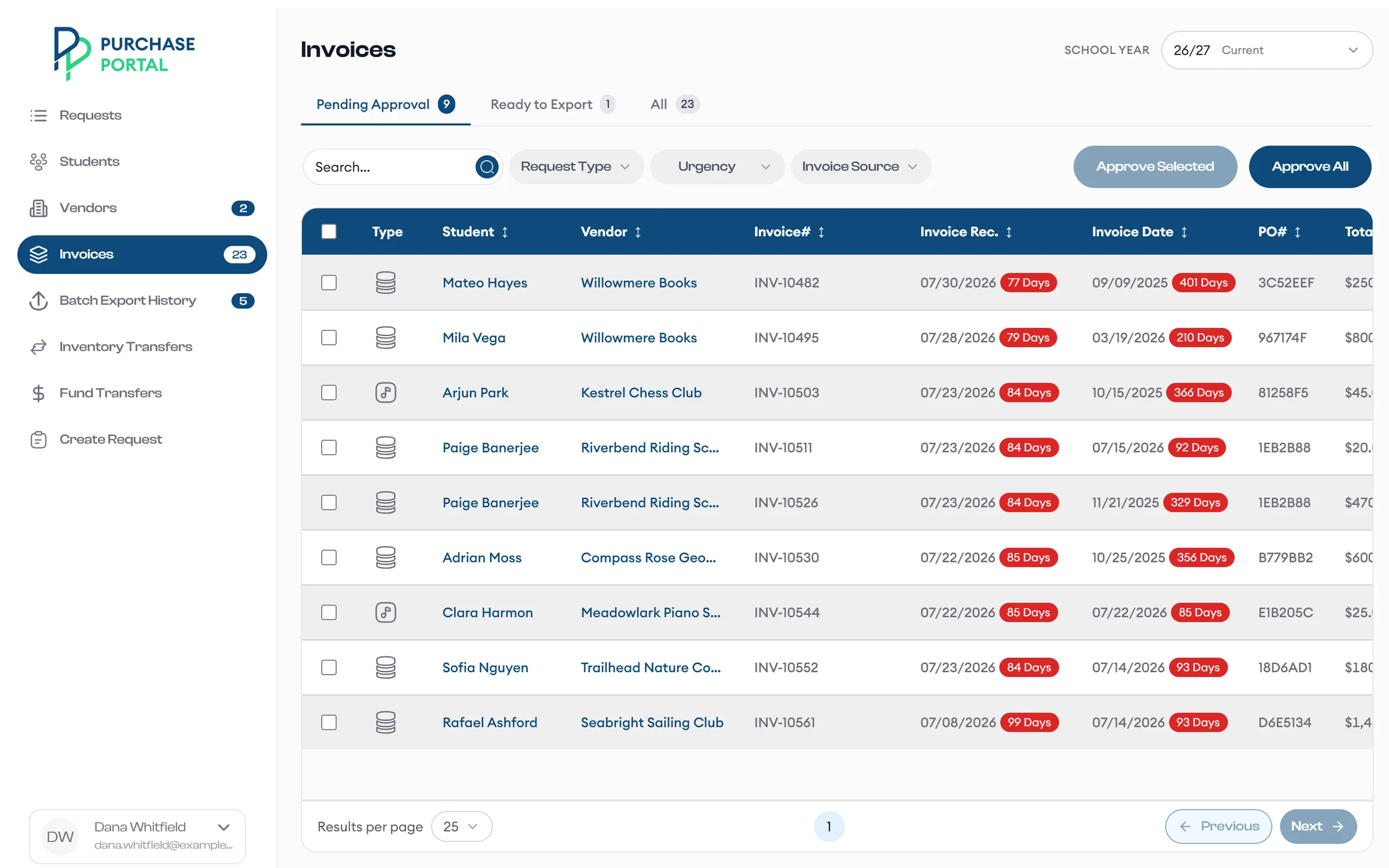
A processor approves invoices before exporting a batch to accounting.

Watch one request travel from draft to accounting export

Request a demo, and we walk your team through each workspace with sample data.